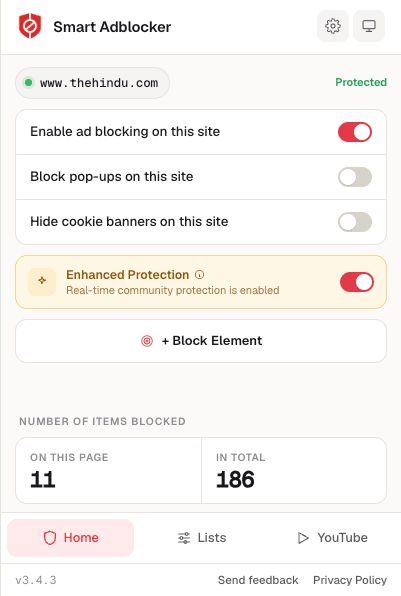
Browse the web without annoying ads

  • Block all ads, pop-ups, and cookie banners for a cleaner, faster browsing experience
  • Enhanced privacy features — block trackers and reduce your digital footprint
  • Smart Adblocker is free and lightweight — installs in seconds

By clicking, you agree to our Terms of Use.

4.1/5 rating
500+ reviews
100% Free
smartadblocker.com
1,247
ads blocked today
Ad blocking
Pop-up blocker
Cookie banner blocker

Powerful Ad Blocking Features

Comprehensive protection that blocks ads, popups, trackers, and unwanted content for a cleaner web experience

Advanced Ad Blocking

Block all types of ads including banners, video ads, and sponsored content with smart filtering and regularly updated block lists.

Lightning Fast

Experience up to 50% faster page loads by blocking resource-heavy ads, tracking scripts, and unnecessary content.

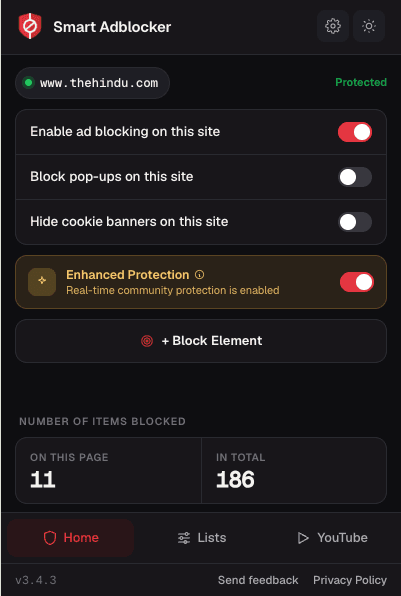
Dark Mode Support

Enjoy comfortable browsing with automatic dark mode detection. Reduces eye strain and saves battery on OLED displays.

Real-Time Updates

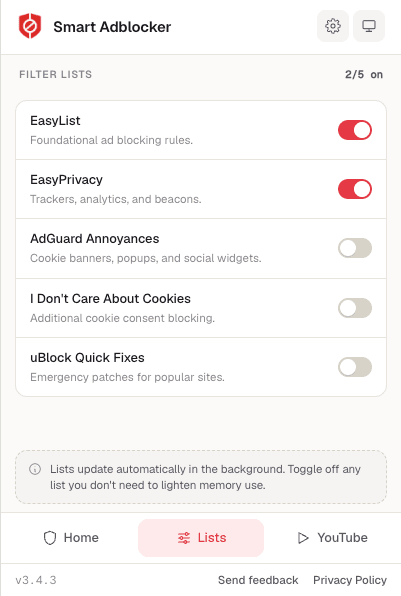
Filter lists updated multiple times daily to catch the latest ads, trackers, and blocking evasion techniques.

Essential Blockers

The core tools for a distraction-free, private, and enjoyable browsing experience

Popup Blocker

Instantly block popups, overlays, and modal windows for uninterrupted browsing.

Cookie Banner Blocker

Hide cookie consent banners and privacy popups for a cleaner, faster web.

Block Element Tool

Right-click any unwanted element and remove it from any page—forever.

500+
User Reviews
4.1★
Store Rating
55
Languages
Free
Forever

Why Choose Smart Adblocker?

Everything you need for a faster, cleaner, and safer browsing experience — in one lightweight extension

Block ads, popups, and unwanted content across websites
Faster page loading by blocking resource-heavy ads
Reduce data usage by filtering unnecessary content
Block trackers to help protect your online privacy
Works on most popular websites and platforms
Automatic filter updates with latest blocking rules
Remove cookie banners and consent popups instantly
Advanced element blocking for custom content removal
Built-in protection against known malicious domains
Lightweight extension — only 1.5 MB in size
Whitelist system for websites you want to support
Available in 55 languages worldwide
Install Smart Adblocker - Free

Rated 4.1/5 on Chrome Web Store • Works instantly • No registration required

Built on Trust & Transparency

Smart Adblocker is built to be reliable, effective, and transparent about how it works.

Growing User Base

Trusted by users across the globe with 500+ reviews and a 4.1/5 rating on the Chrome Web Store.

Available in 55 Languages

Localized for users worldwide — Smart Adblocker supports 55 languages for a seamless experience.

Actively Maintained

Regular updates ensure compatibility with the latest websites, browsers, and ad-serving techniques.

Auto-Updating Filters

Filter lists are updated automatically so you always have the latest ad-blocking rules applied.

Domain-Level Protection

Blocks requests to known malicious and ad-serving domains before they load in your browser.

Community Filter Lists

Uses widely-adopted, community-maintained filter lists like EasyList for transparent and effective blocking.

What Users Say

Real feedback from users who enjoy their ad-free browsing experience

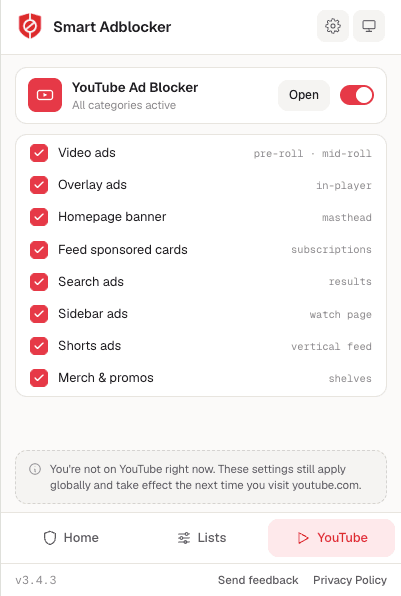
This adblocker actually works! No more pop-ups on my favorite sites and YouTube is so much better without those pre-roll ads. Definitely keeping this one.

C

Chris M.

Chrome User

I've tried a few ad blockers and this one does a solid job. The block element tool is super useful for getting rid of annoying banners that other blockers miss.

P

Priya K.

Chrome User

Good ad blocker that does what it says. Blocks most ads on the sites I use daily. The cookie banner blocker is a nice touch. Would recommend.

J

James T.

Chrome User

Installation Guide

Get started in under a minute on your favorite browser

Chrome
Firefox
Edge
1

Go to the Extension Store

Open the Chrome Web Store, Firefox Add-ons, or Edge Add-ons using your browser of choice.

2

Search for "Smart Adblocker"

Type "Smart Adblocker" in the search bar and look for our official logo.

3

Click "Add to Browser"

Press the install button and confirm any prompts to add the extension.

4

Pin & Start Browsing

Pin Smart Adblocker to your toolbar for quick access and enjoy an ad-free web!

Frequently Asked Questions

Common questions about Smart Adblocker and how it works.